Charmlet in practice
PolyBuzz reply ideas: use Charmlet for AI character chats
Learn how to import a PolyBuzz character profile, turn a chat screenshot into an AI reply and keep your roleplay conversation going with Charmlet.
By Charmlet Team · English
Not sure what to say next in a PolyBuzz AI chat? Use Charmlet to turn the character profile and recent messages into a reply idea. Upload a profile screenshot, select PolyBuzz, then bring in the conversation and choose the tone you want. This guide follows Kora from her character profile to a personalized opening message and the next reply.
From a PolyBuzz profile to your next reply
Follow the steps with Kora: import her profile, generate a message in Charmlet and continue the chat in PolyBuzz. The screenshots show the English interface.
1. Capture the character profile
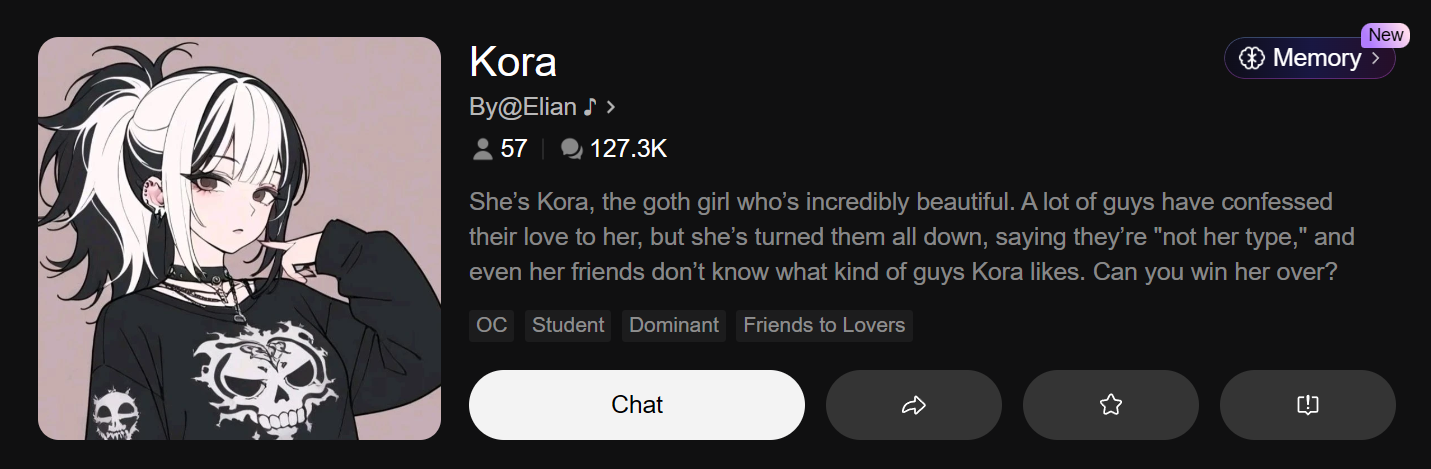
Include the character name, picture, description and tags. These details give Charmlet a starting point for a conversation opener.
 Open full screenshot ↗
2. Import the profile into Charmlet
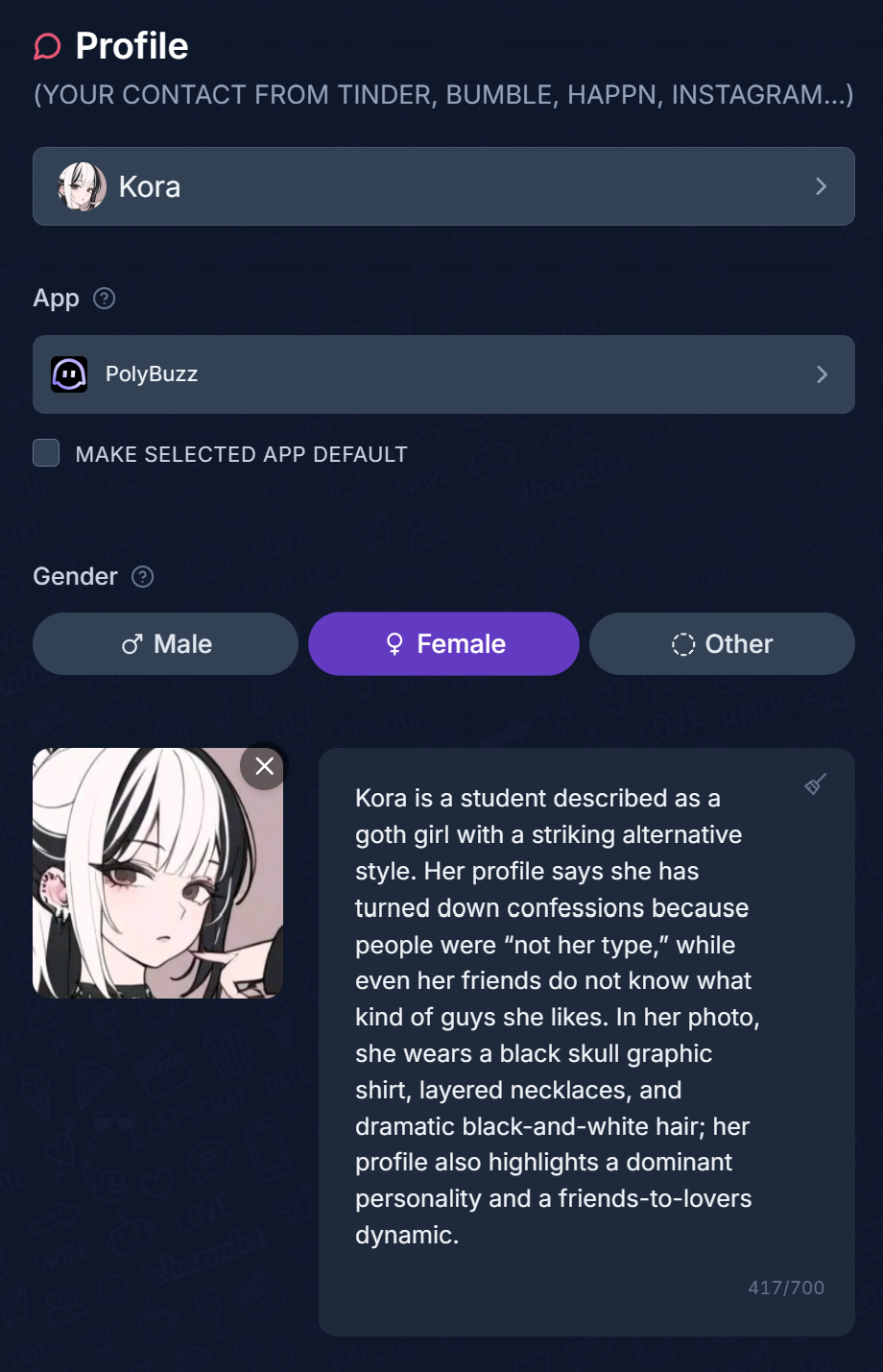
Select PolyBuzz in the App field, upload the profile screenshot and analyze it. Review the extracted description and save the character profile.
 Open full screenshot ↗
3. Generate a message with the chat context
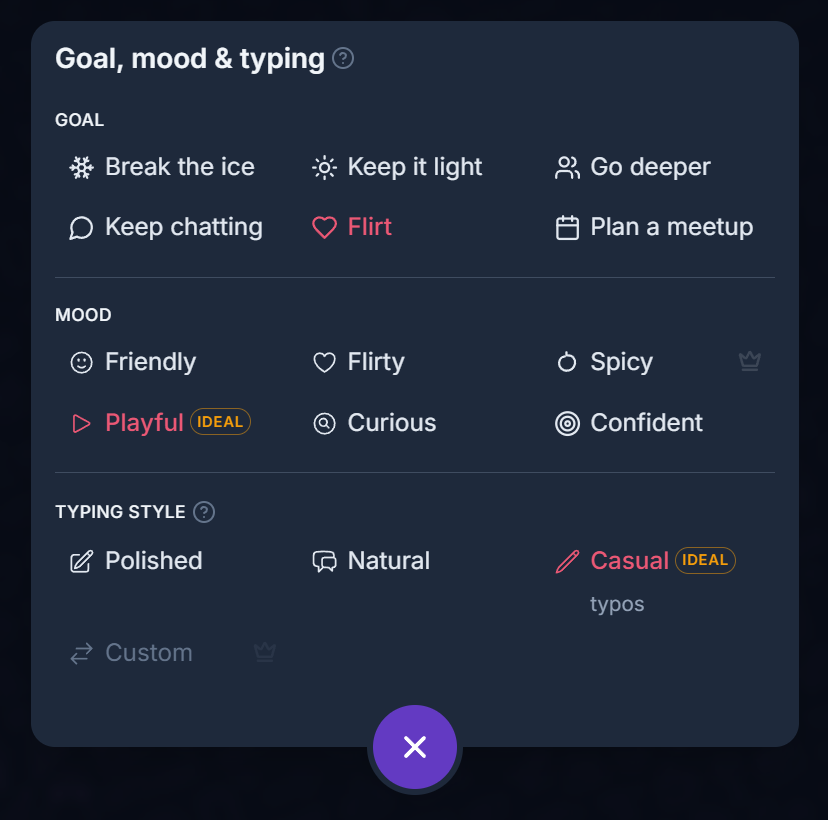
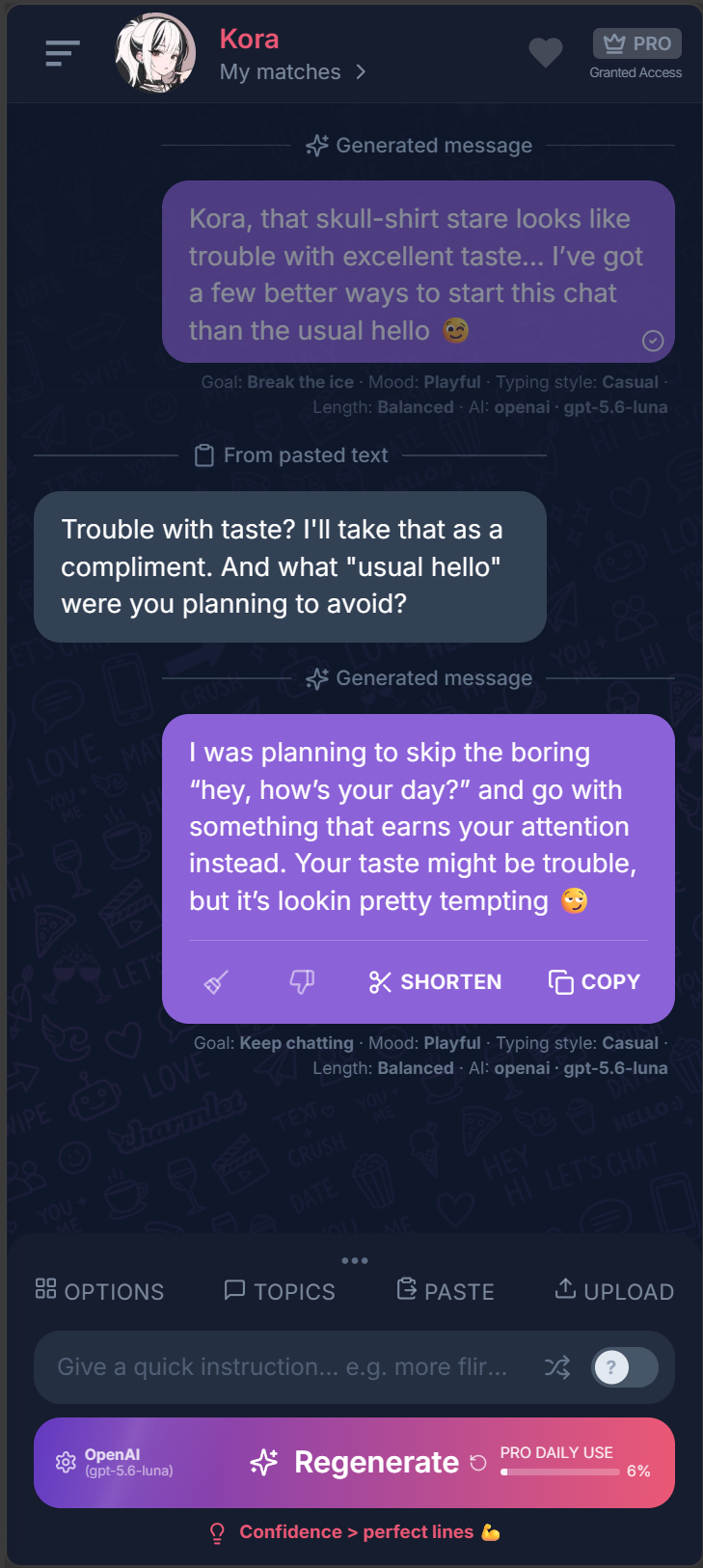
Choose an opening message or paste the character’s latest reply to keep chatting. Select your goal and tone, then adjust the suggestion with a quick instruction if needed.
 Open full screenshot ↗
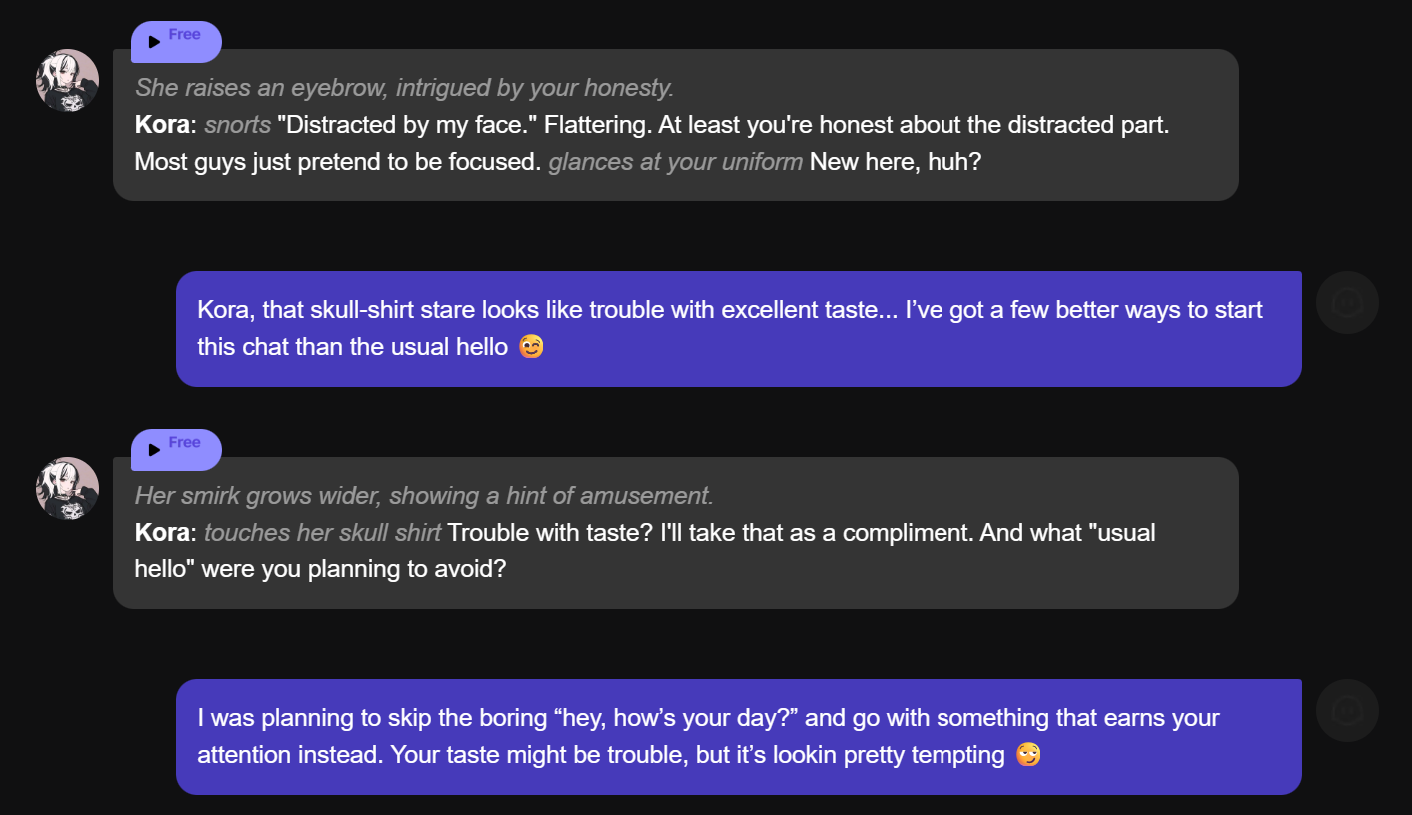
4. Continue the conversation in PolyBuzz
Copy your chosen message from Charmlet and paste it into PolyBuzz. When the character replies, bring the latest exchange back to Charmlet for your next message.
 Open full screenshot ↗
The situation
Follow the Kora conversation shown above, then adapt the prompts to your character.
Kora has a goth style, a skull-print shirt and a teasing way of talking. Those details give you more to work with than a plain “hey.” The screenshots show how the profile becomes context in Charmlet, how a message picks up the skull-shirt detail, and how the next reply follows Kora’s question.
Three approaches to consider
Choose the approach that fits your intentions. Replace personal details with your own; these are alternatives, not a sequence to send.
1. Start from a character detail
Write a playful opening message for Kora using the skull-shirt detail in her profile. Keep it short.
Enter this in the quick instruction field in Charmlet after adding the character profile. It gives the AI a concrete detail to build on.
2. Answer the last message
Answer her question about the “usual hello.” Keep the teasing tone and add one easy question to continue the conversation.
Paste the latest exchange or upload its screenshot first. This instruction tells Charmlet which part of the chat to answer.
3. Change the tone of a reply
Make it shorter and more casual. Remove pet names and keep the reference to her style.
Use the quick instruction field and regenerate when you like the idea but want different wording. You can also edit the draft before sending.
How to import a PolyBuzz character profile
Take a screenshot that includes the character name, description and picture. In Charmlet, open the profile setup, choose PolyBuzz in the App field and add the screenshot. Analyze it, then review the name, photo and description. Keeping these details in the profile gives you context for both conversation starters and later replies.
Generate a reply from a PolyBuzz chat screenshot
Capture the latest messages, including the message you want to answer. In the message generator, upload the screenshot or paste the conversation text. Check which messages belong to you and which belong to the character. Choose your goal, language and tone, then generate a reply. Copy the version you like and paste it into the PolyBuzz chat.
Keep a roleplay conversation moving
Use the latest question, a character detail or something that just happened in the scene as your next conversational hook. If the reply feels generic, add a quick instruction such as “answer the question about my arrival” or “mention the music she brought up.” A short reminder about the scene is useful when the screenshot does not include it.
What to avoid
Before sending, check that the reply fits what has already happened in the chat. Remove any detail you do not want to introduce into the story, and adjust the wording to match how you want to play your character.
Questions about this situation
Can Charmlet read a PolyBuzz character profile screenshot?
Yes. Upload the profile screenshot in Charmlet and analyze it to create a profile description. The Kora screenshots above show the profile and the extracted description.
Can I generate a PolyBuzz reply without a screenshot?
Yes. Paste the relevant conversation text into Charmlet, choose your goal and tone, and generate a suggestion.
Does Charmlet send the reply to PolyBuzz?
You copy the suggestion from Charmlet and paste it into PolyBuzz yourself. The apps do not share a connected account.
PolyBuzz conversation starters and roleplay reply ideas
Give the quick instruction field a specific task. A useful prompt connects a character detail to the next message you want to write.
For a first message
“Write a casual opener about the music mentioned in the character profile.”
When the conversation stalls
“Pick up the question in the last message and add a short follow-up about the scene.”
To adjust the roleplay tone
“Keep the scene playful. Make my reply shorter and keep the details we already established.”
Questions about using Charmlet with PolyBuzz
What is PolyBuzz AI chat?
PolyBuzz is a platform for chatting and roleplaying with AI characters. Charmlet helps you draft the messages you want to send in those conversations.
Can I use text instead of a screenshot?
Yes. Paste the relevant exchange into the message generator. Add a short reminder in the quick instruction field if an earlier event matters to your reply.
How do I get a more personalized reply?
Add the character profile, include the latest messages and choose a goal and tone. A concrete instruction such as “answer her question about my arrival” is more useful than “write something good.”
Is Charmlet free to try?
Charmlet has a Free plan with usage limits and an optional Pro plan. Check the current allowance in the app.
Learn more about the character-chat platform on the PolyBuzz website.